

Facebook is a great social network that allows us to be always updated on all the news of our friends or family or even the most relevant news of the pages we follow. However, the Zuckerberg platform may have some personal information that you do not want to be disclosed to third parties or used by Facebook itself.
The power that Facebook has is immense: it is even able to know what you buy in physical stores.
Of course, there is little you can do to protect yourself, but if you are interested in making access to your personal data more difficult, there are several ways to do so.
In this article I will explain how to learn how to view and delete personal information Facebook has about you.
To delete and check the data Facebook has about your Internet searches, follow these simple steps:
1. Go to Settings, which is inside the picture below.

2. Then, click on "Your Facebook Information".
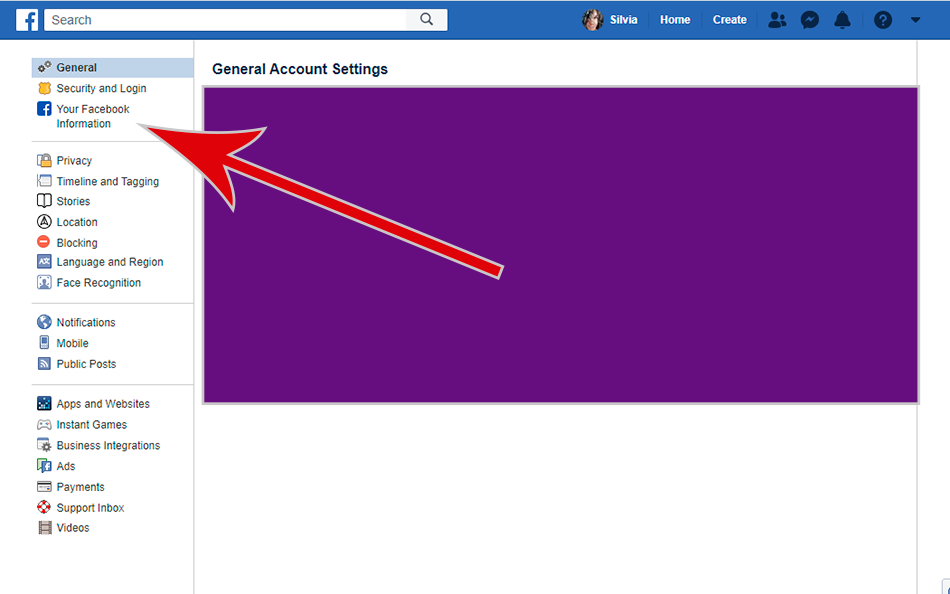
3. At this point, another menu will open. Tap on "Off-Facebook Activity".
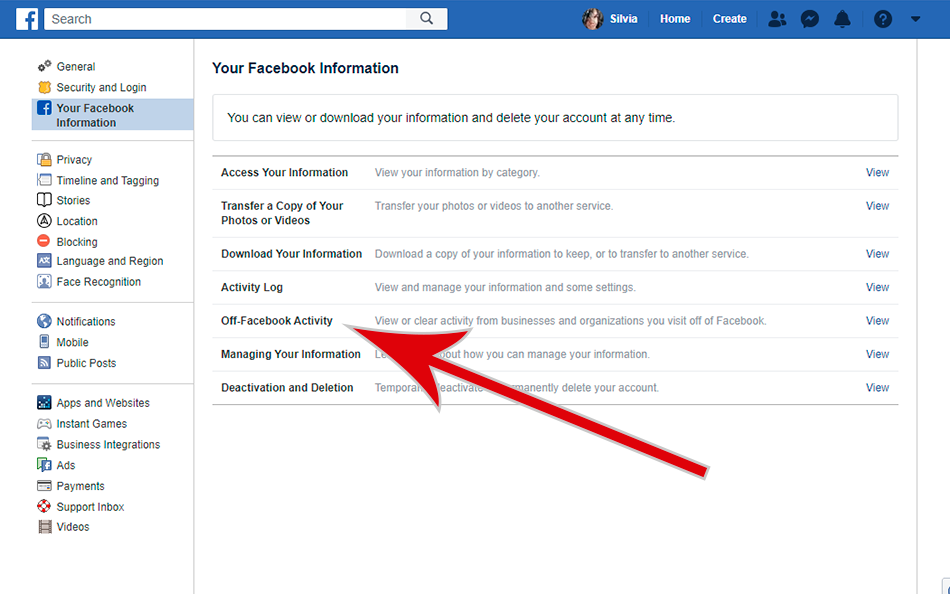
4. A new window will appear. Click on "Clear History".
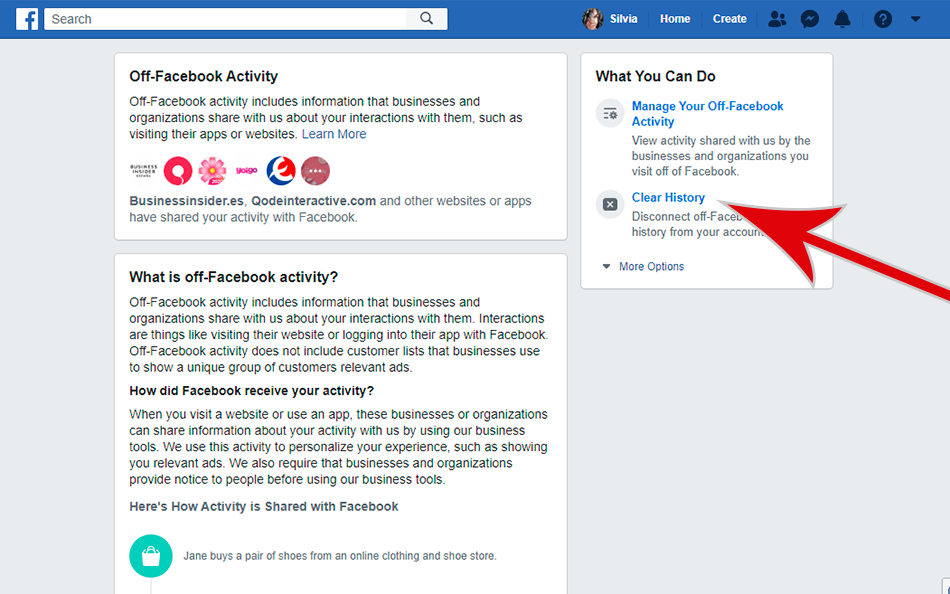
5. Finally, in the pop-up tab click on "Clear History" again.
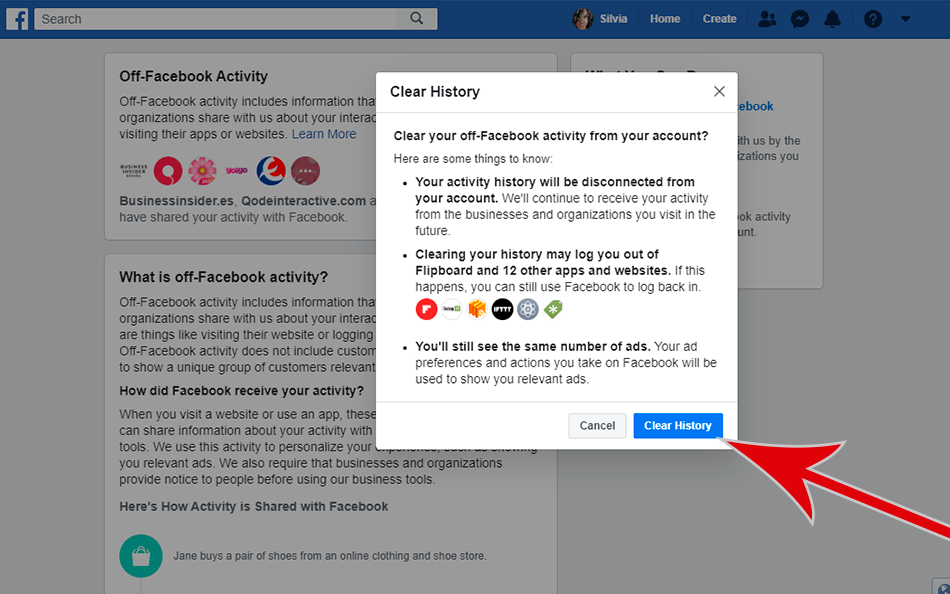
Once you have done this, you will be able to view and remove the information Facebook has about you. The only thing to keep in mind is that it is a process that you'll have to repeat occasionally, since the social network will continue collecting data from your Internet searches.


